

LinkSentry was named in Research.com's roundup of the best online security software companies. Their editors evaluate vendors on functionality, user experience, and operational fit; the published evaluation of our platform is at research.com/software/reviews/linksentry-review.
We don't usually post about awards. We're posting about this one because the Research.com analysis is more useful than the average vendor directory entry — they actually deployed the product and walked through it — and because the recognition is a good prompt to lay out, in one place and in plain language, what LinkSentry is and how it works.
What LinkSentry actually does
LinkSentry watches the outbound links on your site and tells you when something about them changes. That covers a few specific failure modes:
- A linked domain expires and gets re-registered (parking, malware, phishing — see the dropcatching industry)
- A linked URL becomes a broken
4xxor starts returning a redirect chain that didn't exist before - A TLS certificate on a linked endpoint becomes invalid or expires, which causes browser warnings for your visitors
- A third-party script on one of your pages starts loading from a domain that wasn't in your dependency manifest yesterday
The discovery side is the part that makes the rest work:
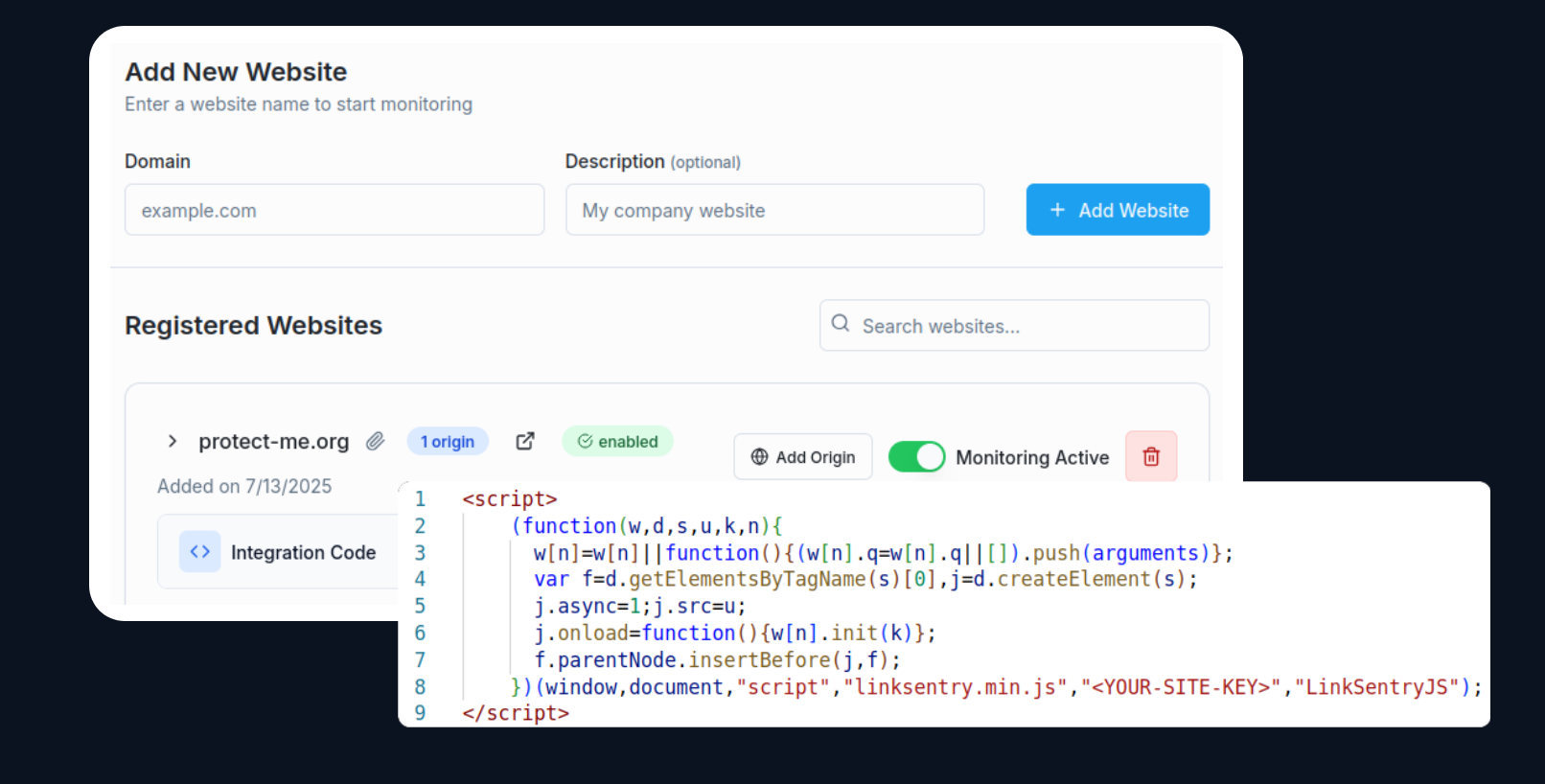
You install one script tag. From that point, every outbound link a real visitor encounters during normal browsing — including the ones behind login, the ones that only render after a click, the ones inside dynamic React components — is reported back into a per-site inventory. We don't crawl your site. We learn it from the users who actually use it.
This is the part traditional broken-link checkers miss. A crawler can't sign into your dashboard, can't fill your wizard, can't reach the page that only loads when a user clicks "show advanced." Users can. That's why we work that side of the problem.
Alerting
Every link in the inventory is rechecked on a continuous schedule against:
- Threat-intel feeds (the same ones that seed Safe Browsing and SmartScreen, queried directly so we see signals earlier than the browsers do)
- Domain-reputation and parking-nameserver databases
- TLS validity and certificate-chain health
- Content-drift snapshots — what the destination served when we first saw it, compared to what it serves now
When something flips, you get a notification. Email summary, Slack message, or webhook, depending on how you've configured it.
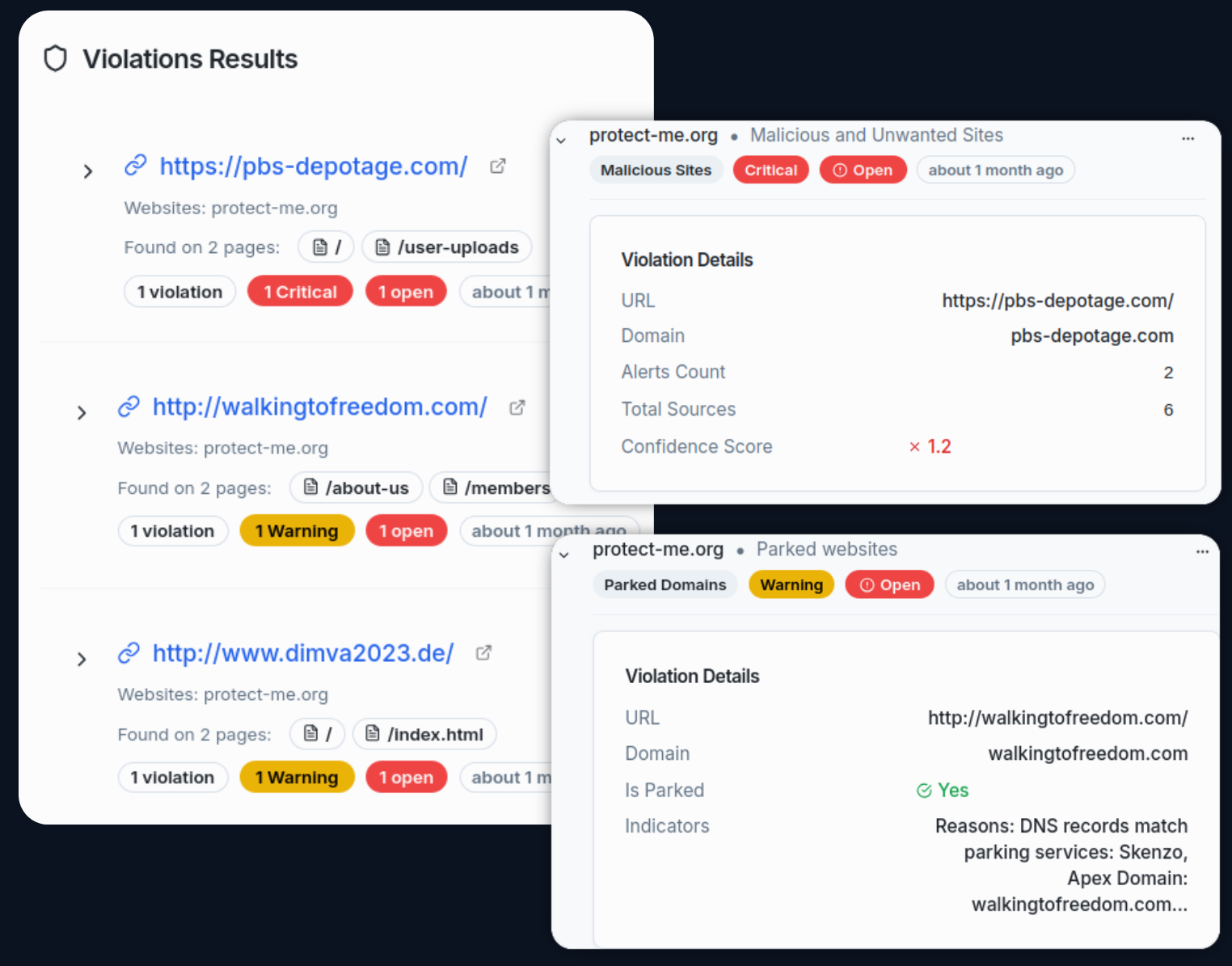
The dashboard groups everything by website and severity, so a one-line glance answers "is anything on fire" and a two-click drill-down answers "what specifically and where."
Policies, geography, and content scanning
On the higher tiers (Business and Enterprise), the policy set expands:
- Geo-location allowlists and blocklists. Useful for regulated industries that need to restrict where their outbound dependencies are hosted, and for content sites that need to demonstrate they're not serving links into specific jurisdictions.
- Dropped-domain and newly-registered-domain checks. Both ends of the registration lifecycle. A linked domain in the drop window or a newly-registered domain in your dependency graph is worth knowing about.
- Content scanning (AI-powered). For sites that need flag-able categorization of destinations (NSFW, gambling, scam) beyond what reputation feeds catch.
- Security headers and performance checks on the destinations themselves.
The full breakdown is on the pricing page; the short version is that Starter ($19/mo) covers the core link-monitoring policies for individuals and small sites, Pro ($49/mo) adds Slack and parking detection, Business ($99/mo) adds the geo and content-scanning suite, and Enterprise is custom for organizations that want on-premise, white-label, or per-tenant API integration.
Why this matters more than it sounds
Outbound links are infrastructure you don't own. The longer your site has been live, the more of them you've accumulated, and the higher the probability that a meaningful fraction now resolve to something other than what they originally pointed at. The cost of that drift shows up as compliance findings, support tickets with screenshots attached, SEO demotions, and the occasional press cycle. The cost of monitoring it doesn't approach the cost of one of those incidents.
That's the case Research.com evaluated, and that's what we built the product to do. Thanks for the recognition.
Try it at linksentry.io.